Small Business Saturday sounds like a day for boutiques and coffee shops.
But think about the homeowner who wants to "shop small" that weekend. Their furnace quits on Thanksgiving morning, or they finally book the water heater swap they've been putting off. They pick up a phone, search, and call whoever looks open, local, and trusted.
That's your opening. You don't need a ribbon cutting. You need a clean week of listing work, done in the right order. Here it is, one day at a time.
The short answer
How do I promote my local service business for Small Business Saturday? Set special holiday hours on Google and Apple Maps, publish one clear offer as a Google post (with no phone numbers, emails, or unrelated links, which Google's October 2026 rules ban), make sure your phones are covered, ask recent customers for honest reviews, then search for yourself the way a customer would.
Why a plumber should care about a "shopping" day
Small Business Saturday falls on Saturday, November 28, 2026 (SBDCNet). It started with American Express in 2010, and the SBA has co-sponsored it since 2015 (same source).
The intent behind it is real. In American Express's 2025 Shop Small Impact Study, 86% of consumers said they were likely to shop small that holiday season (Business Wire, Nov 2025; MR Magazine). That's 2025 data. We couldn't find a 2026 version yet.
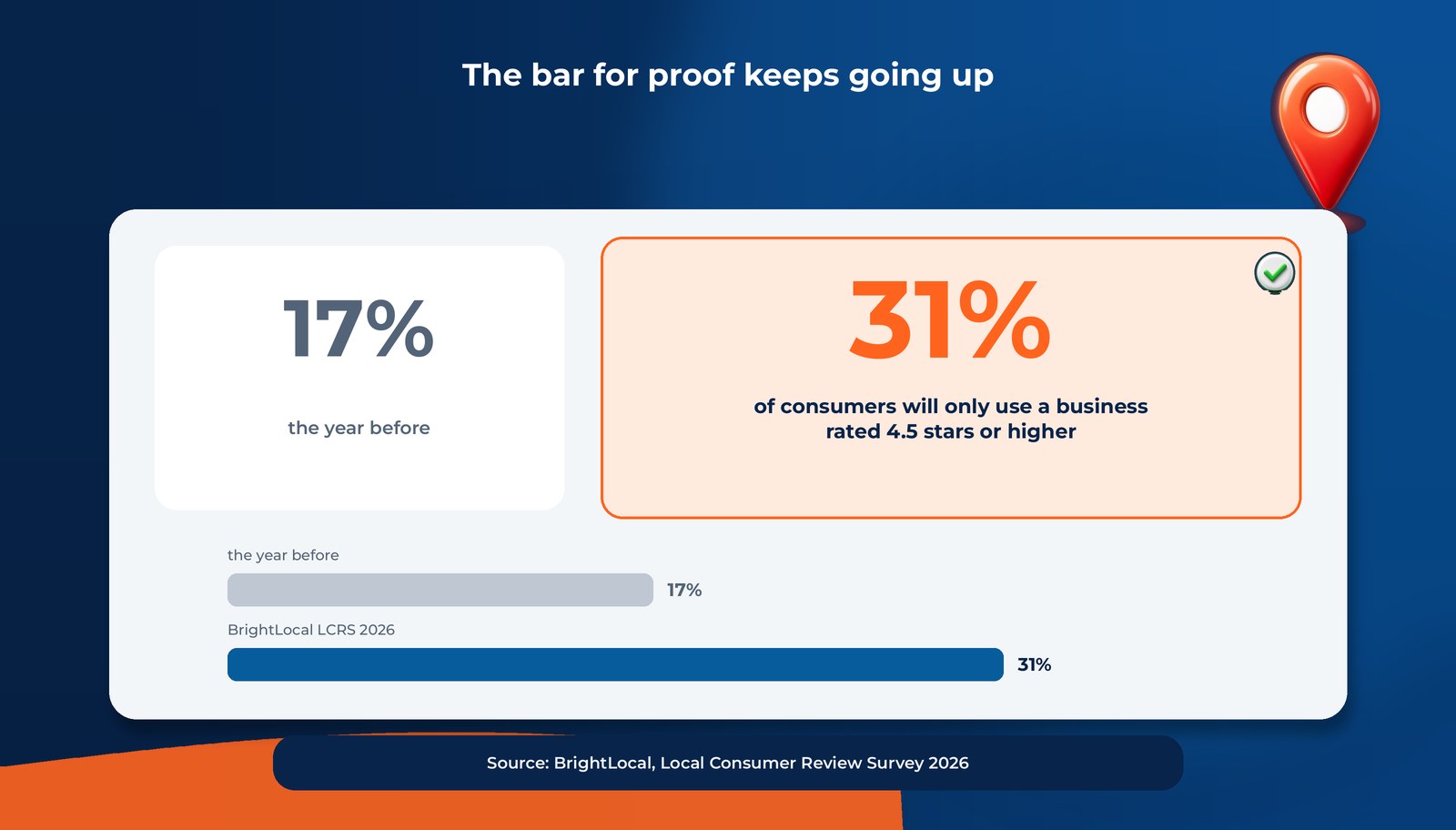
"Shopping small" for a home service doesn't mean a gift bag. It means picking the local company that looks open, answers, and has recent proof. And the bar for proof keeps going up. BrightLocal's Local Consumer Review Survey 2026 found that 31% of consumers will only use a business rated 4.5 stars or higher, up from 17% the year before (BrightLocal).
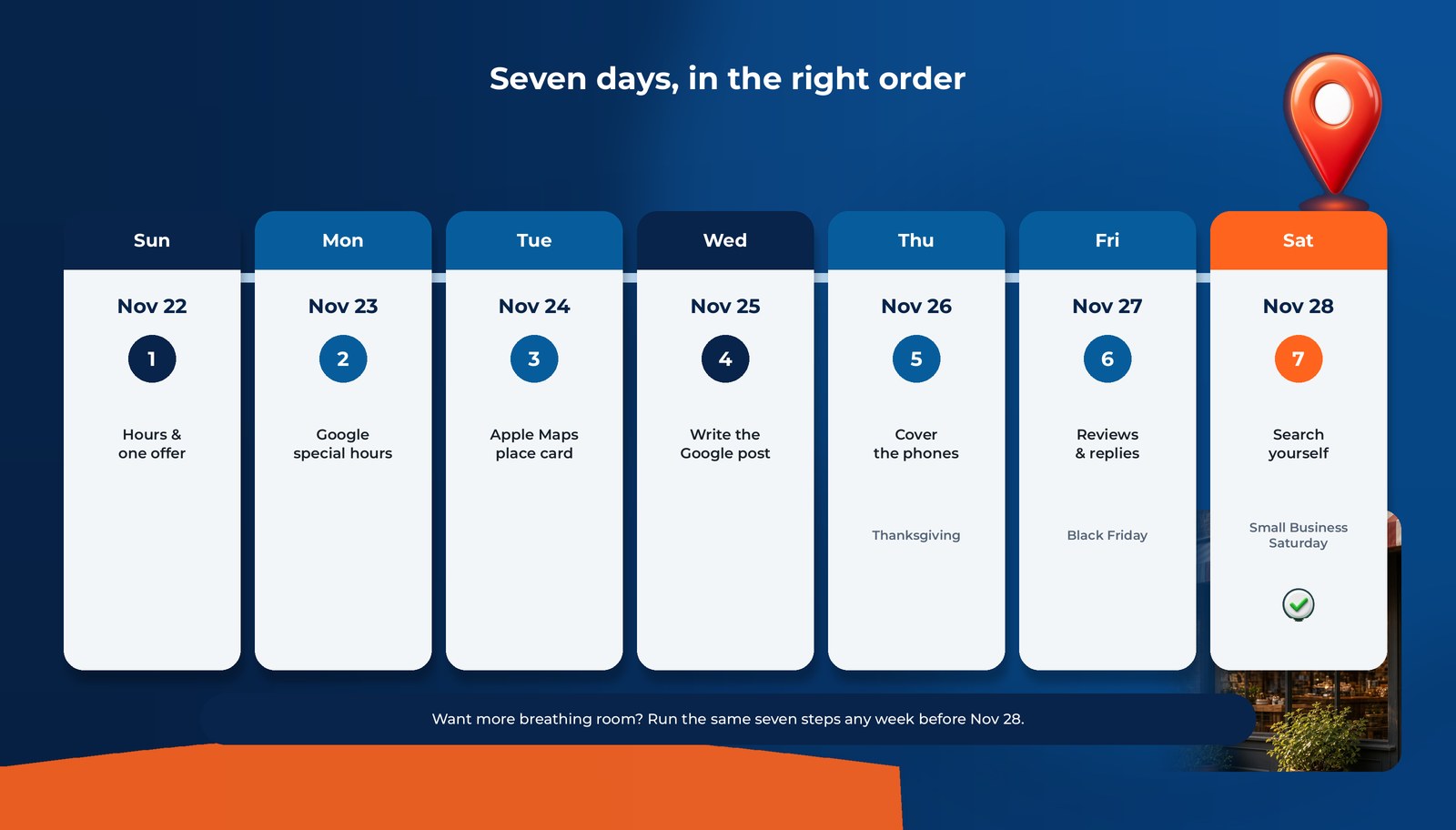
The week is crowded. Thanksgiving is Thursday, Nov 26, and Black Friday is Nov 27. Your listings are what customers see while you're busy, so this checklist starts Sunday, Nov 22 and finishes on the Saturday itself. Want more breathing room? Run the same seven steps any week before Nov 28. Earlier is better.
Day 1 (Sun Nov 22): Decide your hours and your one offer
Grab a notepad before you touch any listing. Every listing should say the same thing, so decide it once:
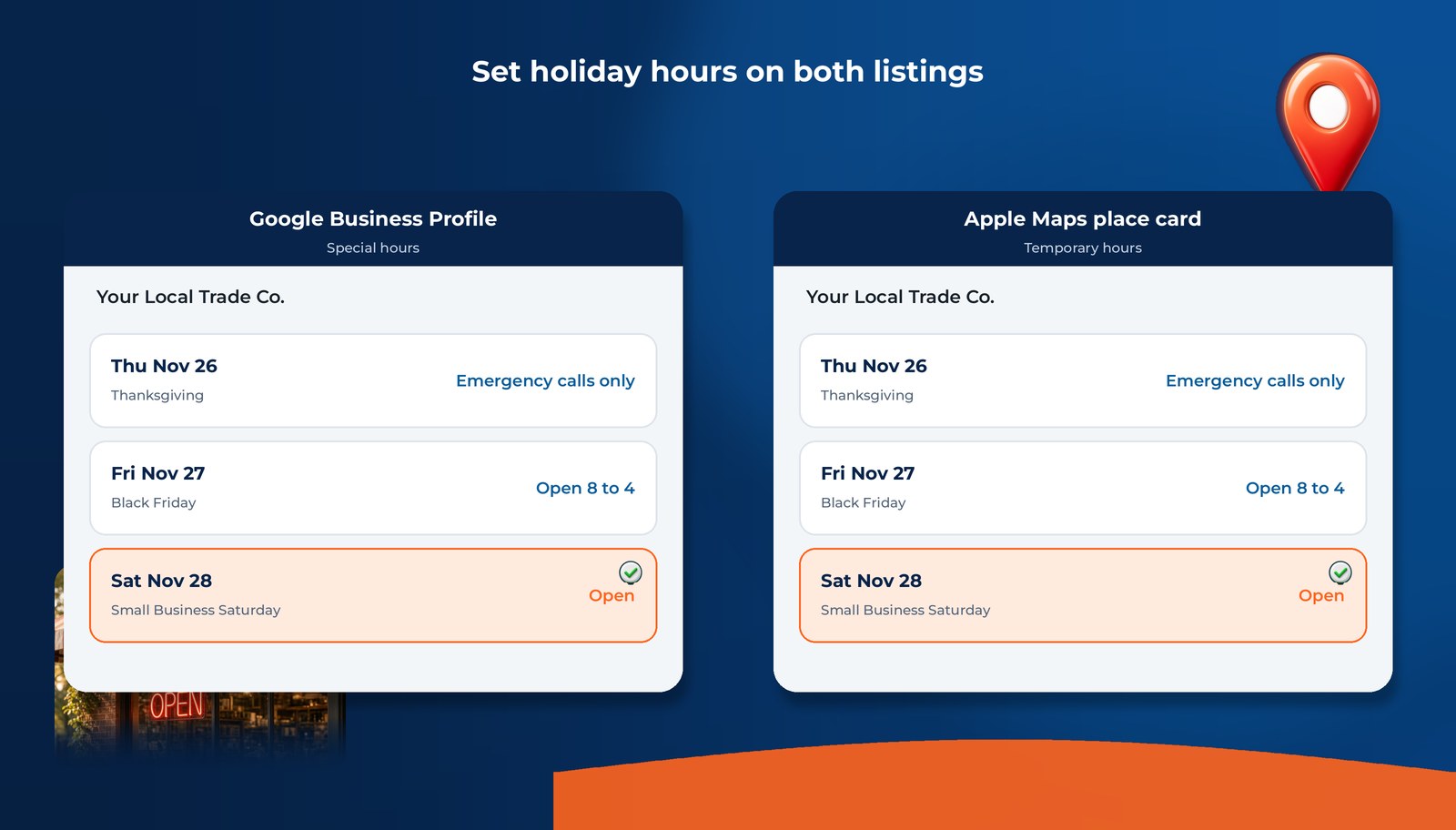
- Thursday, Nov 26 (Thanksgiving): open, closed, or emergency calls only?
- Friday, Nov 27: normal hours or shortened?
- Saturday, Nov 28 (Small Business Saturday): open, closed, or on call?
- One offer for the week. Keep it simple and true: a gift card for a tune-up, priority booking for winter maintenance, a free second opinion on a repair quote. Pick one. Three offers just muddy it.
- One button. Decide where people should go: Call or Book.
Optional extra: American Express runs a Shop Small Map and marketing materials for small businesses, and you can add or update your listing there if you're eligible (SBDCNet).
Day 2 (Mon Nov 23): Set special hours on Google
Open your Google Business Profile and add special hours for Nov 26, 27, and 28. Don't change your regular hours. Special hours exist so a holiday doesn't wreck the rest of your week.
While you're in there, check for suggested edits. Google's help page now says owners have 4 days to accept or reject a suggested edit, and Google may publish an edit on its own if other public information supports it (Flexi Local's October 2026 roundup, citing Google's help page). A wrong closing time that goes live on its own over a holiday weekend costs calls. Send edit notifications to an inbox someone actually reads.
One more heads-up: Google is testing an option to set opening hours automatically (Flexi Local). It's only a test. If you see it, still check your hours yourself, especially around holidays.
Hours are just one leak. For the full profile tune-up, see Google Business Profile audit: 12 silent leaks.
Day 3 (Tue Nov 24): Fix your Apple Maps place card
Every iPhone owner on your street can find you through Apple Maps and Siri. On April 14, 2026, Apple replaced Apple Business Connect with Apple Business, and existing Business Connect listings moved over automatically (Apple Newsroom). If you claimed your place card before, it should still be there. Log in and check.
Then:
- Add temporary hours for the holiday days. Apple lets you mark a single day or a date range as "temporarily open," "temporarily closed," or holiday hours (Apple Business guide).
- Match your website. Apple says the hours on your place card should match the hours on your official website whenever possible (same guide). Update both on the same day.
- Consider a showcase. A showcase is the place-card section for deals or seasonal items, with a button. It's time-limited and tied to one location (same guide). That makes it a good fit for this week's one offer.
Apple says the place card shows up across Maps, Siri, Calendar, Messages, and more (same guide). One update, many places.
Day 4 (Wed Nov 25): Write your Google post under the new October rules
This is the day most owners get wrong, because the rules changed in October 2026.
Google's Maps and Business Profile prohibited-content policy now has a section just for merchants (Search Engine Roundtable, Oct 6, 2026):
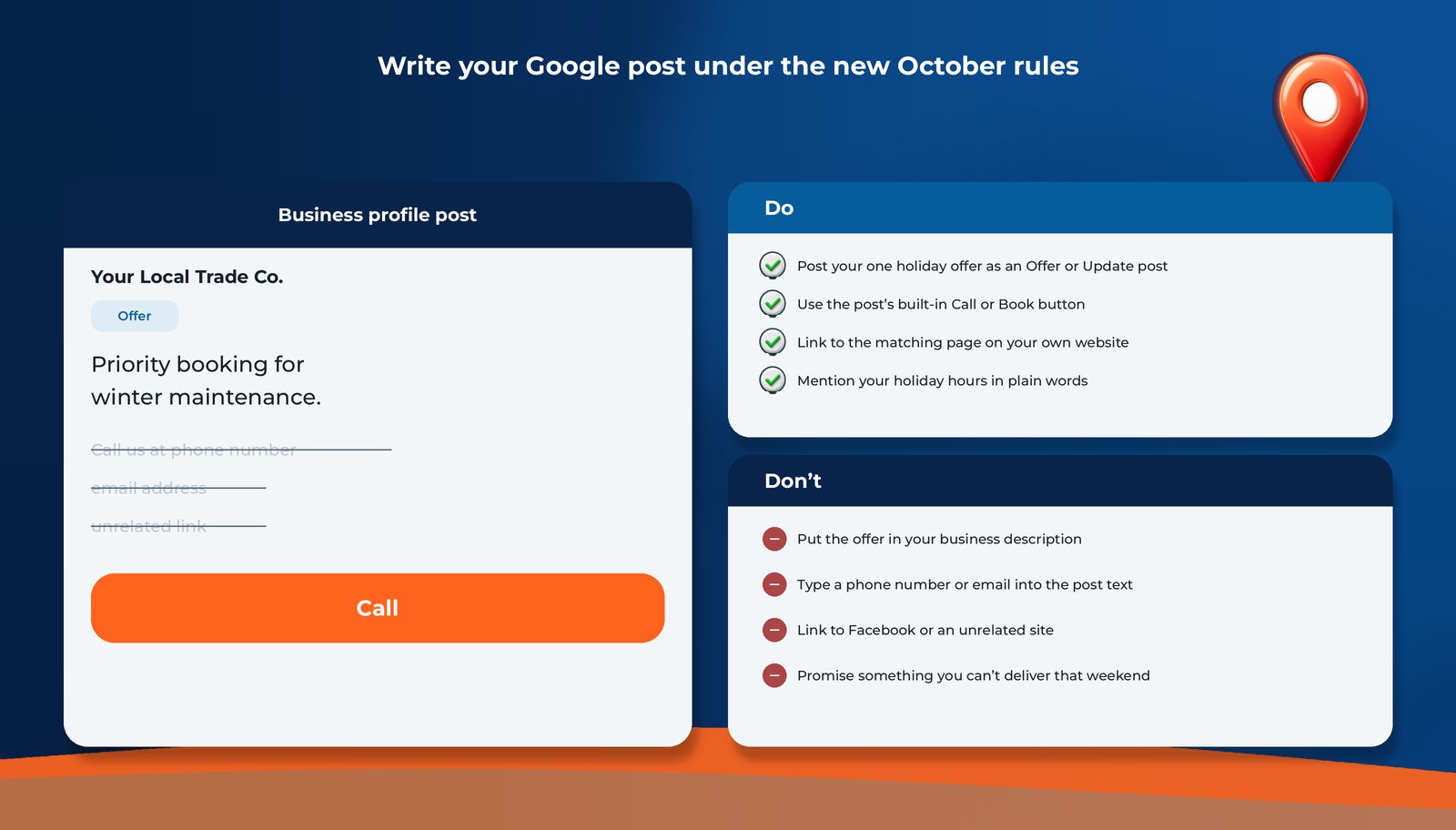
- In posts: no email addresses, no phone numbers, no social media links, and no links to other websites that aren't related to your business. Offers and updates are still allowed in posts.
- In the listing itself: no time-bound promotions, no pricing, no direct calls to action.
Google's posts help page also says it may remove posts with unverified contact information (Flexi Local).
So your Small Business Saturday offer belongs in a post. It doesn't belong in your business description, and it never includes your phone number in the text.
| Do | Don't |
|---|---|
| Post your one holiday offer as an Offer or Update post | Put "Holiday special!" in your business description |
| Use the post's built-in Call or Book button | Type your phone number or email into the post text |
| Link to the matching page on your own website | Link to your Facebook page or an unrelated site |
| Mention your holiday hours in plain words ("Open Black Friday 8 to 4") | Promise something you can't deliver that weekend |
| Add a real photo from a real job | Use a stock photo of a smiling stranger |
Post it today so it's live before Thanksgiving. Also re-read your business description and take out any promos, prices, or "call now" lines that crept in over the years.
Set the hours, post the offer the right way, and get a free read on what customers see: Maps + AI.
Get My Free Visibility Audit→ Free Local Visibility Report
Day 5 (Thu Nov 26): Make sure someone (or something) answers the phone
It's Thanksgiving. You shouldn't be working on listings today, and you won't need to if Days 1 through 4 are done.
Today's only job is coverage. If your listing says "emergency calls only," someone has to actually pick up those calls. Check three things before the turkey:
- Your voicemail greeting matches your holiday hours.
- Your after-hours calls go to a real person or a real callback list.
- Whoever is on call knows what to say about this week's offer.
A perfect listing doesn't help if the call goes nowhere. If your phone has gone quiet even though you still "rank," that's a separate leak, and we break it down in Why Your Phones Got Quieter Even Though You Still "Rank".
Day 6 (Fri Nov 27): Ask for honest reviews and reply to every one
Black Friday is a good day to look at your review count, because the bar is rising. That 31% figure from BrightLocal (only 4.5+ stars, up from 17%) is the reason recent reviews matter right before a busy weekend (BrightLocal).
Keep the ask clean:
- Ask every recent customer for an honest review with a direct link. Don't pick only the happy ones.
- Don't tell customers what to write, and don't ask them to name a specific technician. Google's Maps policy now treats staff review quotas and requests to mention staff names as rating manipulation (Google contribution policy; Search Engine Roundtable).
- Reply to the reviews you already have, good and bad, like a person would.
For the full picture of why rating and recency now work as a trust bar, read 4.5 Stars and Reviews From the Last 90 Days: The New Local Trust Bar.
Day 7 (Sat Nov 28): Search yourself like a customer would
It's Small Business Saturday. Take 15 minutes and look at what a homeowner sees:
- On Google, search "[your trade] near me" and "[your trade] open now" from your phone. Are your hours right? Is your offer post showing?
- In Apple Maps, search the same thing. Check your place card hours and showcase.
- Ask ChatGPT: "Who's a reliable [trade] in [your city]?" Are you named?
Screenshot all three. If you show up in the Map Pack but not in the AI answer, that gap is normal and fixable. We explain why in You Can Rank in Google's Map Pack and Still Lose the Job to ChatGPT. For the full AI check, use our 15-minute ChatGPT test.
No checklist can promise more calls. It does make sure that when someone looks for you this weekend, they find accurate hours, a clear offer, and recent proof.
FAQs
It can. The day is about choosing local, and in Amex's 2025 Shop Small Impact Study, 86% of consumers said they were likely to shop small that holiday season. For service businesses, that shows up as homeowners picking the local company that looks open and trusted. Accurate hours and recent reviews do most of the work.
CTA: get the Free Local Visibility Report (homepage)
You have hours to set, one offer to post the right way, and a 15-minute customer's-eye check for Saturday.
Set the hours, post the offer the right way, and get a free read on what customers see: Maps + AI.
→ Free Local Visibility Report at local-boost.pro
Prefer to talk it through? Call us at +1-240-330-5465.
Sources
All figures accessed 2026-11-04.
- SBDCNet: Small Business Saturday 2026 (updated Oct 27, 2026). SBS on Nov 28, 2026; started by Amex in 2010; SBA co-sponsor since 2015; Amex Shop Small Map and marketing materials.
https://www.sbdcnet.org/sbdc-national-blog/small-business-saturday/ - American Express via Business Wire (Nov 11, 2025): 2025 Shop Small Impact Study: 86% of consumers likely to shop small this holiday season.
https://www.businesswire.com/news/home/20251111146438/en/ - MR Magazine: Key takeaways from the '25 Amex Shop Small Impact Study (Nov 26, 2025). 86% intend to shop at local small businesses (2025).
https://mr-mag.com/key-takeaways-from-the-25-amex-shop-small-impact-study/ - BrightLocal: Local Consumer Review Survey 2026 (Feb 11, 2026). 31% will only use a business rated 4.5+ stars, up from 17%.
https://www.brightlocal.com/research/local-consumer-review-survey/ - Search Engine Roundtable: Updated Google Maps policy: what merchants can't post in listings or posts (Oct 6, 2026).
https://www.seroundtable.com/google-maps-policy-listings-or-posts-42228.html - Flexi Local: Google Business Profile news, October 2026 (Oct 22, 2026). 4-day suggested-edit window; posts with unverified contact info may be removed; automatic-hours test.
https://flexilocal.com/blog/google-business-profile-news-october-2026 - Apple Newsroom: Introducing Apple Business (Mar 24, 2026). Launch Apr 14, 2026; Business Connect data migrates automatically; showcases for deals and seasonal items.
https://www.apple.com/newsroom/2026/03/introducing-apple-business-a-new-all-in-one-platform-for-businesses-of-all-sizes/ - Apple Support: Configure location attributes in Apple Business. Temporary and holiday hours; hours should match the website; showcases; place card across Maps, Siri, Calendar, Messages.
https://support.apple.com/guide/business/configure-location-attributes-abcbdc543423/web - Google: Maps user-contributed content policy, plus Search Engine Roundtable on staff mentions and quotas (April 2026).
https://support.google.com/contributionpolicy/answer/7400114?hl=en
https://www.seroundtable.com/google-reviews-policy-staff-mentions-solicitations-41175.html